

Description
Watch the product overview
A quick introduction from James, our AI presenter.
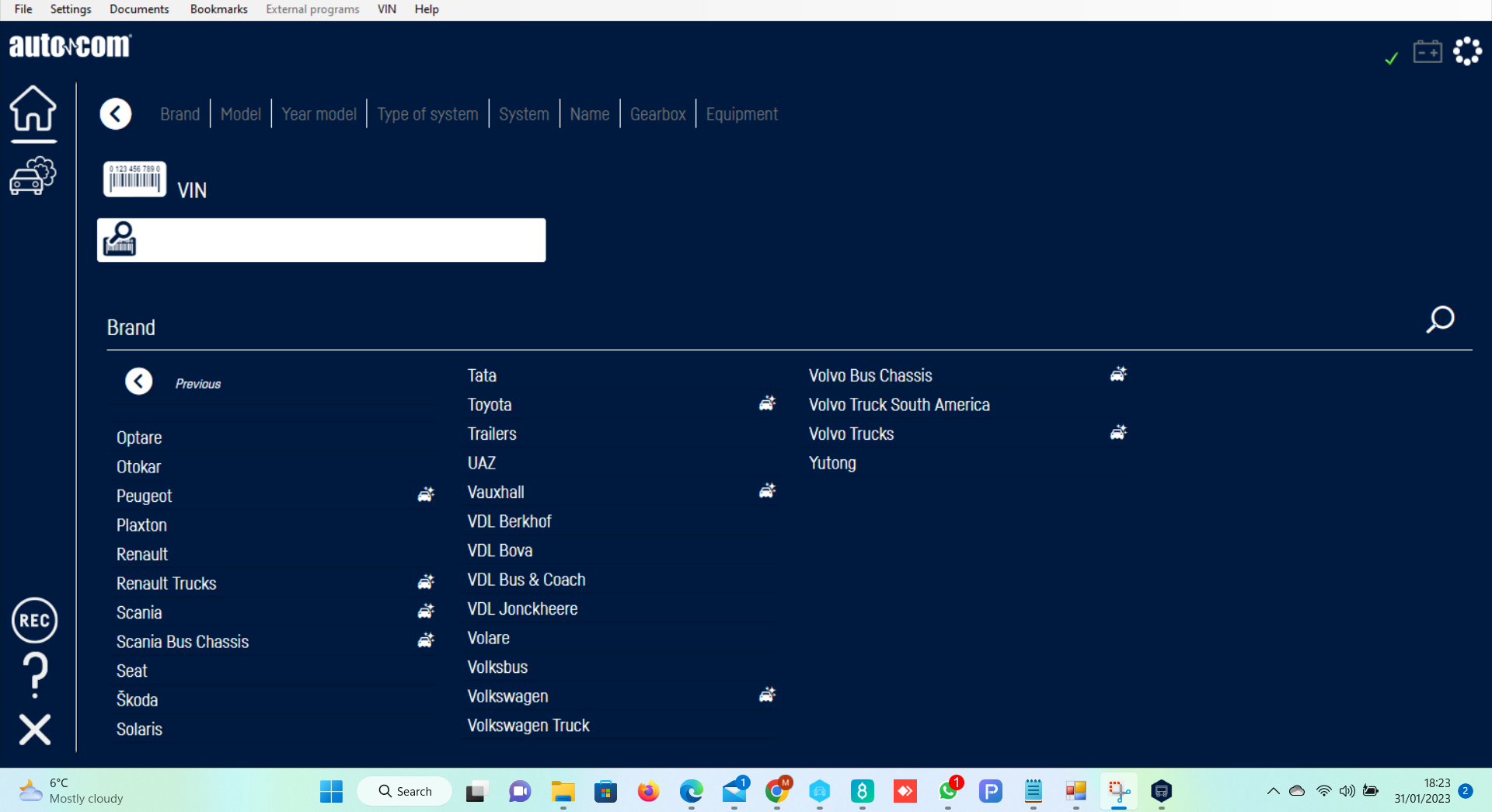
Autocom 2022 Diagnostic Software for Cars & Trucks
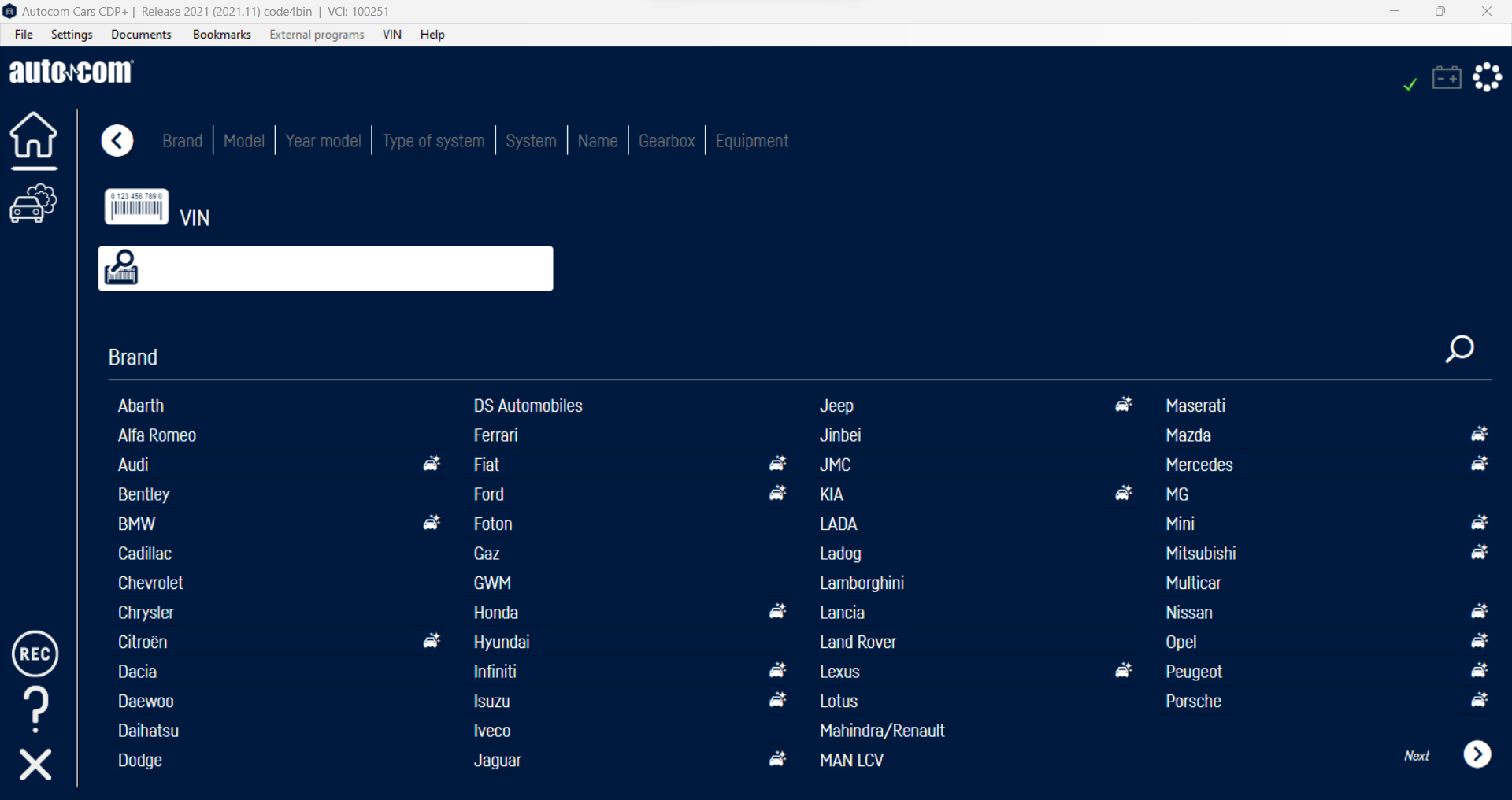
Autocom 2022 is a modern diagnostic software package for compatible DS150E and CDP+ diagnostic interfaces, providing car and commercial-vehicle diagnostics from a single installation.
This is the newer-generation 2022 software rather than the older 2013-based software commonly supplied with inexpensive diagnostic interfaces.
The software is remotely installed and configured on your Windows computer by Diagnostic Central.
Autocom 2022 Software Features
Depending on the vehicle, control module and diagnostic interface being used, available functions can include:
- Read and clear diagnostic trouble codes (DTCs)
- Live-data monitoring
- Vehicle and system identification
- System scanning
- Service functions
- Basic settings
- Adaptations
- Coding functions on supported vehicles
- Programming functions on supported systems
- Car and truck diagnostics from one installation
Not every function is available on every vehicle. Available functions depend on the vehicle, year, fitted control modules and diagnostic interface.
2022 Vehicle Coverage
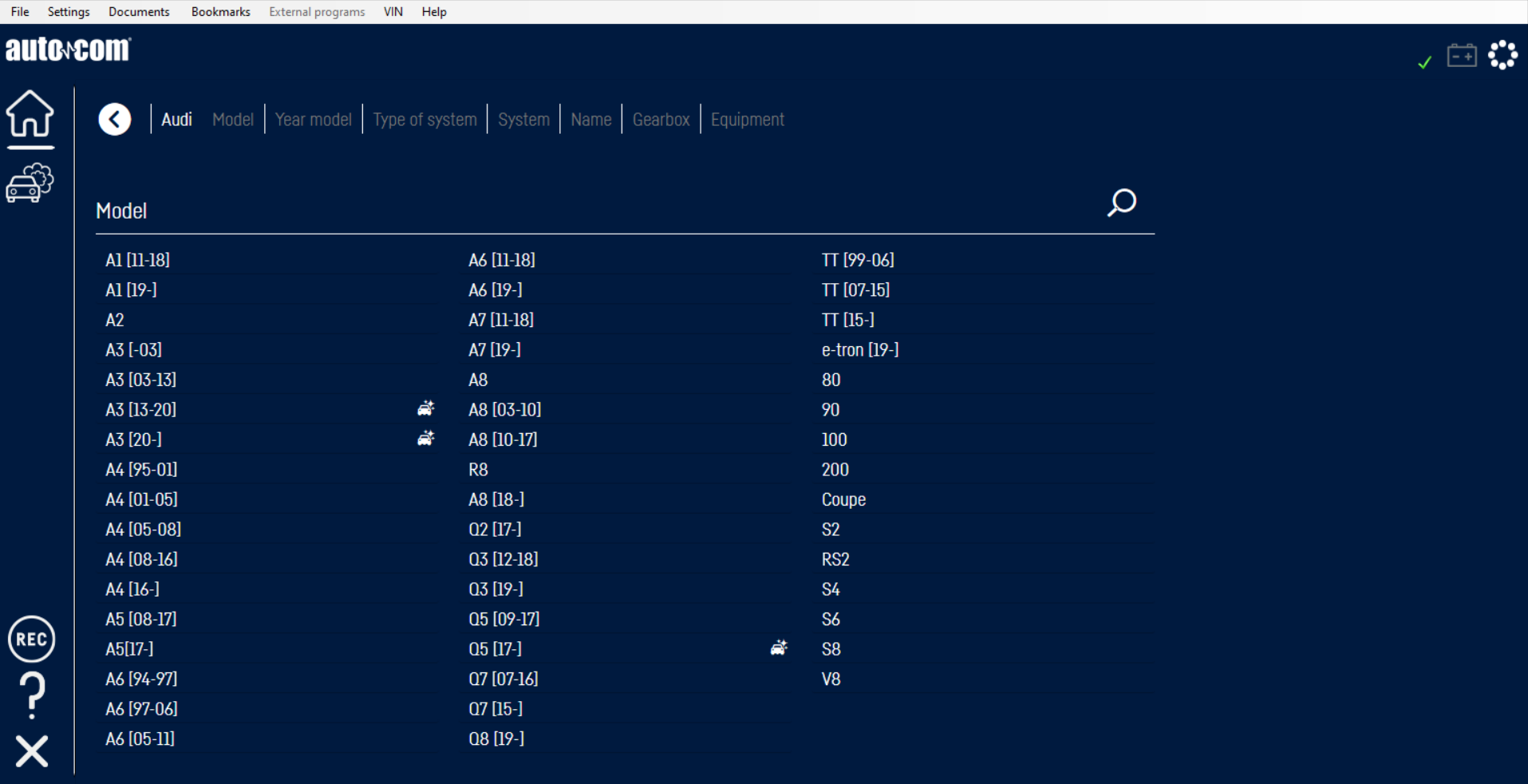
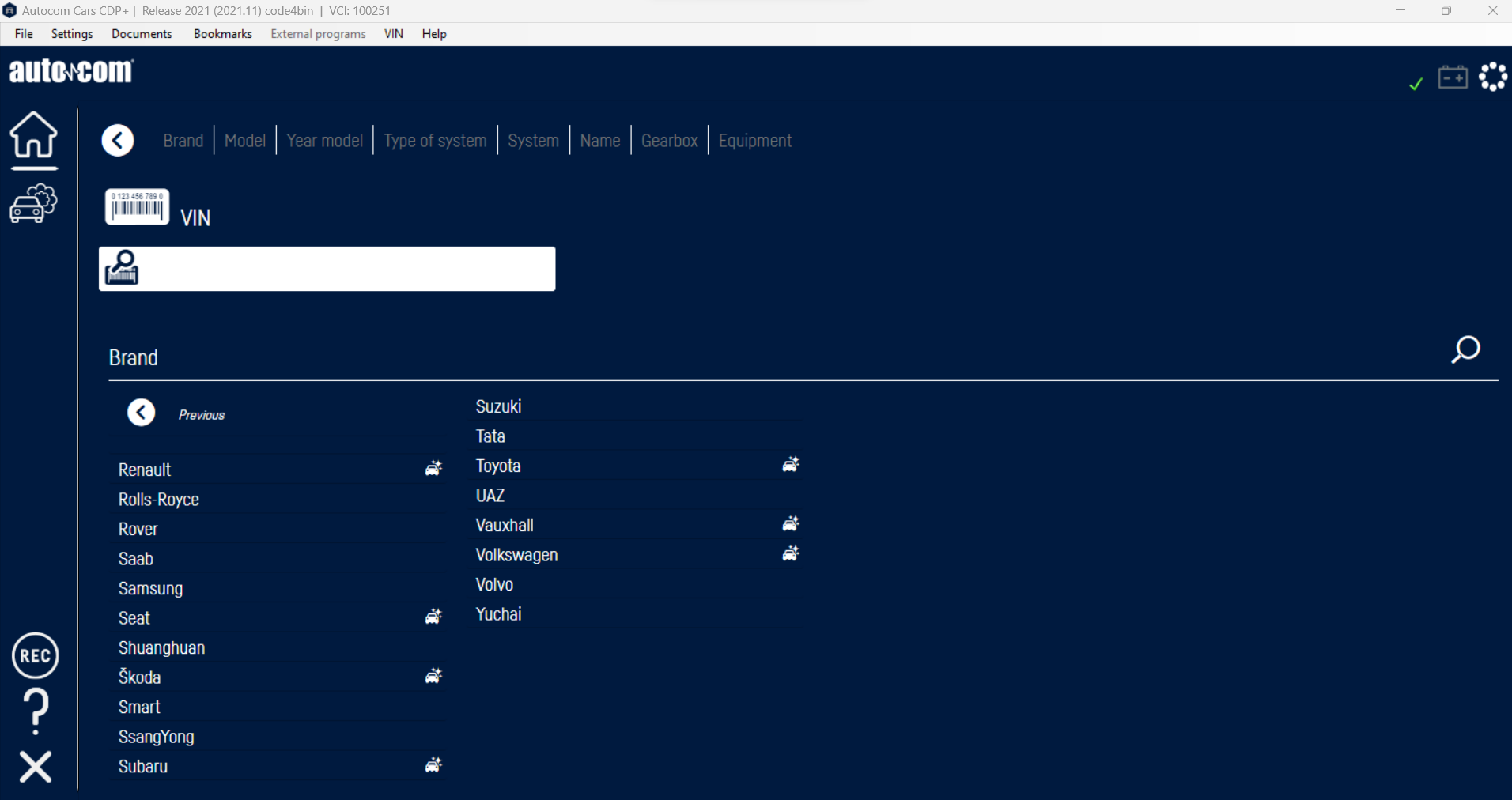
The software contains updated vehicle and communication data for supported cars, vans and commercial vehicles, including models not covered by the much older 2013-generation software.
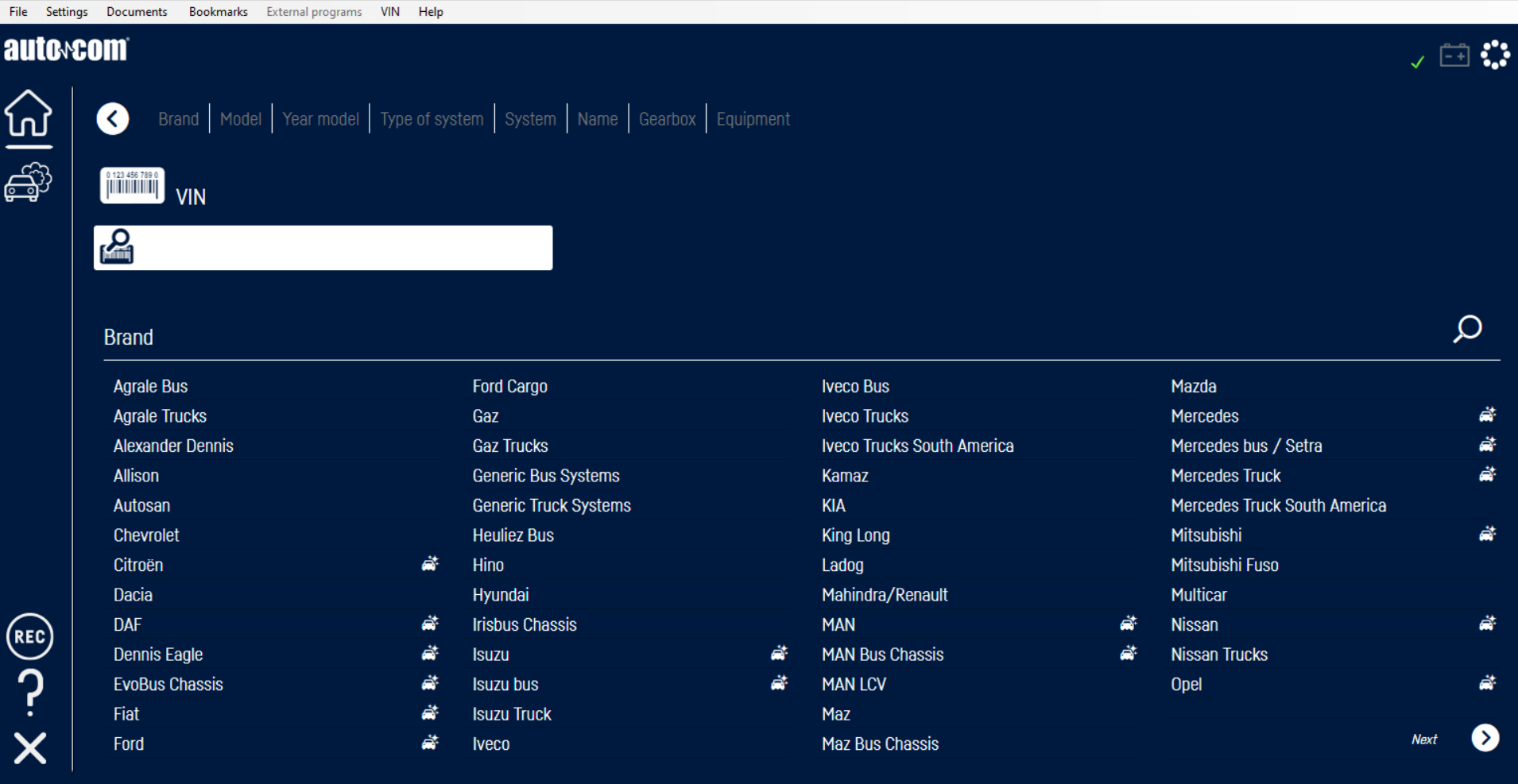
Both CARS and TRUCKS are included in the installation, so one computer can be used for diagnostics across supported passenger and commercial vehicles.
Compatible Diagnostic Interfaces
Autocom 2022 works with compatible DS150E and CDP+ diagnostic interfaces and has also been tested with 100251-type devices.
The quality and design of the diagnostic interface can affect the vehicle and system coverage available when using the software.
Autocom 2022 can be used with both compatible Single Board and Double Board DS150E interfaces.
Windows Compatibility & System Requirements
Autocom 2022 is compatible with:
- Windows 7 SP1
- Windows 8
- Windows 10
- Windows 11
Approximately 10GB of free hard-drive space is required.
The software also requires the appropriate .NET Framework and Microsoft SQL CE Compact components. These are configured as required during installation.
Windows XP is not supported.
Virtual machines are not supported.
Very old diagnostic interfaces using the Infineon C167 processor are not compatible with this software. This may not work on Microsoft Surface devices.
Remote Installation & Activation
This software is remotely installed by our technical support team and activated for the computer on which it is installed.
Activation is tied to that computer. Once the installation is complete and working correctly, we strongly recommend making a full backup using Acronis or equivalent backup software.
This can help preserve your working installation should you later experience a Windows or hard-drive problem.
The purchase price includes one installation. If the installation is subsequently lost because Windows is reinstalled, the computer is replaced or for another reason outside our control, a further installation/reactivation may be chargeable.
DS150E Interface Compatibility
The diagnostic interface itself can affect the vehicle and system coverage available when using Autocom 2022.
Double Board DS150E: Autocom 2022 will work with compatible Double Board DS150E interfaces. However, due to limitations within the Double Board hardware, there may be communication issues with some BMW models equipped with push-button start and a small number of Ford vehicles.
Single Board DS150E: Our higher-specification Single Board DS150E provides broader and more consistent vehicle/system coverage and does not suffer from these known Double Board limitations.
Please note: if you are looking to purchase a new Single Board DS150E rather than software for an interface you already own, our Single Board DS150E is supplied complete with Autocom 2022 software, so there is no need to purchase this software separately.
Important – Please Read Before Purchasing
Installation is carried out remotely by our technical support team at a mutually agreed date and time.
It is the customer’s responsibility to ensure that the software is suitable for their vehicle and diagnostic equipment before ordering. If you are unsure, please contact us before purchasing and we will be happy to advise.
Once an installation appointment has been booked, technician time is reserved specifically for your installation.
If you are unable to attend your appointment, please give us at least one hour’s notice. Provided sufficient notice is given, we will rearrange the installation at no additional charge.
If you fail to attend the agreed appointment, are unavailable at the scheduled time or cannot provide the necessary computer access, the appointment may be treated as a missed booking because technician time has already been allocated.
Refunds will not be issued simply because incorrect software was purchased or because the customer’s vehicle or diagnostic interface is incompatible where the software itself has been supplied as described.
If you have blocked a previous version by running the updater then this can also block any future versions, its important that you make us aware of this so we can remove the regisrty entries before we install the new version. These cant be removed after we have installed the new version.
Nothing in these terms affects your statutory rights under applicable consumer protection law.
Need Help Before Ordering?
If you already own a DS150E or CDP+ interface and are unsure whether it is suitable for Autocom 2022, contact Diagnostic Central before purchasing. We can help determine whether this software or an alternative version is more appropriate for your equipment.


Reviews
There are no reviews yet.