

Description
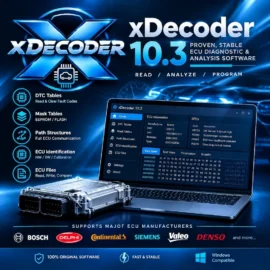
Xdecoder 10.3 ECU DTC Removal and Tuning File Decoder Software
Instant digital download | English | All regions | Lifetime licence
Xdecoder 10.3 is a specialised automotive ECU software tool designed for decoding and removing Diagnostic Trouble Codes (DTCs) from ECU firmware files. This software is widely used by automotive technicians, mechanics, truck service centres, and heavy equipment operators to manage ECU error codes and prepare firmware files for advanced tuning tasks. Learn about on-board diagnostics.
Xdecoder Key Features
Xdecoder 10.3 provides a range of features focused on decoding and modifying vehicle ECU firmware in professional tuning workflows. The software works with ECU files read by external programmers and allows you to locate and disable unwanted DTC codes within firmware data.
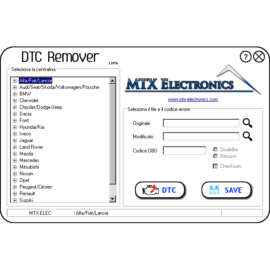
DTC Removal and Decoding – Identify and remove Diagnostic Trouble Codes from ECU firmware files.
ECU File Compatibility – Works with many popular ECU types from Bosch, Delphi, Marelli, Siemens, Continental, and more.
Supports Multiple Off Functions – Includes functions to remove EGR, DPF, AdBlue, Lambda, and other systems in tuning files.
Offline Operation – Fully functional without an internet connection or subscription.
Simple User Interface – Designed to be intuitive for both beginners and experienced tuners.
Fast Decoding Process – Quickly scans firmware files and locates targeted codes for removal.
File Format Support – Works with standard ECU binary formats used in remapping and tuning workflows.
This software is especially useful for technicians working with firmware editing as part of advanced tuning, performance calibration, or ECU repairs. It integrates into tuning workflows alongside tools like WinOLS and ECU Tuning Suite.
Xdecoder Supported Vehicle Brands
Xdecoder 10.3 supports ECU firmware modifications across a broad range of automotive brands and ECU manufacturers. The following list highlights examples of supported systems but is not exhaustive.
Audi, BMW, Citroën, Dacia, Fiat, Ford, Hyundai, Iveco, Kia, Lancia, Land Rover, Mazda, Mercedes-Benz, Mitsubishi, Nissan, Opel, Peugeot, Renault, SEAT, Škoda, Subaru, Suzuki, Toyota, Vauxhall, Volkswagen, Volvo, Alfa Romeo, Chevrolet, Chrysler, Dodge, Jeep.
Compatible ECUs include Bosch EDC, Siemens MS, Delphi DCM, Marelli MJD, Continental SID, and more. Always verify the ECU format before editing.
Xdecoder System Requirements
To use Xdecoder 10.3 effectively, ensure your system meets the following requirements:
Operating System: Windows 7, Windows 10, or Windows 11
Processor: Intel Core i3 or better
Memory: Minimum 4 GB RAM (8 GB recommended)
Storage: At least 5 GB free disk space
External Tools: ECU file reading/writing tools such as Kess, KTAG, PCMTuner, KT200, FoxFlash, or similar programmers
No special hardware dongle is required to run the software itself, but to read or write firmware from an ECU you will need compatible hardware interfaces.
What’s Included
✔ Xdecoder 10.3 digital download software
✔ Installation files and setup guide
✔ Guidance for use with ECU programmers
✔ Step-by-step installation instructions
Important Notice (Please Read Before Installation)
✔ Turn off antivirus before starting installation; some antivirus programs may flag activation files as false positives
✔ Always back up original firmware files before editing to prevent data loss or ECU issues
FAQs and Troubleshooting Tips
What is Xdecoder used for?
Xdecoder is used to decode and remove Diagnostic Trouble Codes (DTCs) from ECU firmware files as part of ECU tuning and remapping workflows. It modifies firmware offline rather than reading live data.
Do I need an ECU programmer?
Yes. To read or write ECU firmware, you will need an ECU programmer such as Kess, KTAG, PCMTuner, or similar interfaces. Xdecoder works on the firmware files those tools extract.
Can Xdecoder remove all error codes?
Xdecoder targets specific DTCs embedded in the firmware file. Some codes may be hardware-related and not removable through this software alone. Always consult ECU documentation.
Installation: Installation is the buyer’s responsibility. We do not provide remote installation for this software or pre-install it on computers or tablets purchased from us.



Reviews
There are no reviews yet.