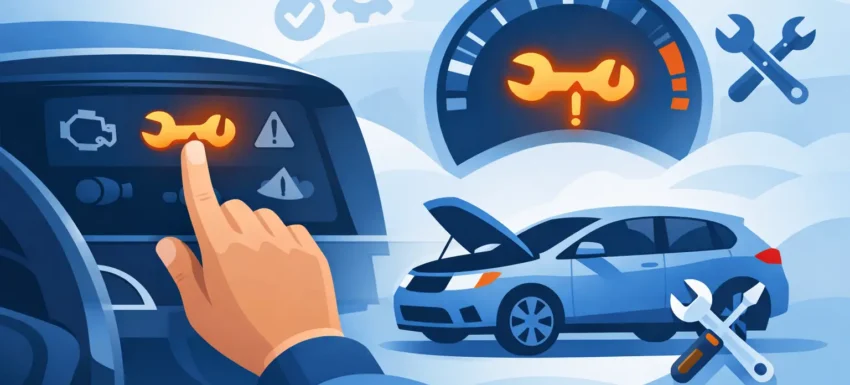
That service reminder has a habit of appearing at the worst moment – usually just after you’ve changed the oil, replaced the filters and ticked off the maintenance work. If you’re wondering how to reset service light warnings properly, the main thing to understand is this: some vehicles allow a simple manual reset through the dash controls, while others need a diagnostic tool to complete the job correctly.
A lot of motorists assume the service light and the engine management light are the same thing. They are not. A service light is usually a maintenance reminder based on time, mileage, oil quality data or a fixed service interval. It is there to prompt routine servicing. The engine management light points towards a fault in the control system. Resetting the wrong light, or resetting a service reminder before the work is actually done, only creates confusion later.
How to reset service light warnings without guesswork
The cleanest way to approach any service reset is to confirm what the light is actually referring to. On many vehicles, the message may be for an oil service, inspection service, AdBlue top-up, brake pad wear, or another scheduled maintenance item. If the underlying job has not been completed, resetting the reminder is poor practice and can be misleading for future servicing.
On older or simpler vehicles, there is often a manual reset procedure built into the instrument cluster. This may involve turning the ignition on while holding the trip reset button, using steering wheel controls to enter a service menu, or cycling through dash options until the maintenance interval can be reset. Manufacturers all do it differently. Vauxhall, Ford, BMW, Volkswagen and Peugeot each have their own logic, and even within the same make the procedure can change by model year.
That is why workshop technicians rarely rely on memory alone. The process might look simple, but one missed step can leave the service light active, trigger the wrong menu, or reset only part of the service data.
The usual manual reset method
If your vehicle supports a dashboard reset, the sequence typically starts with the ignition off. You then press and hold a specific button, often the trip or mileage reset, switch the ignition on without starting the engine, and wait for a service message or countdown to appear. On some cars, you then confirm the reset using the same button. On others, you use steering wheel arrows or stalk controls.
This works well when the car uses a basic interval reminder. It is quick, costs nothing and is often enough after a standard oil service. The downside is that manual resets are limited. They do not give you fault code visibility, they do not confirm whether other service-related modules still hold warnings, and they are not much use when the system requires a command through the diagnostic port.
When a diagnostic tool is the right answer
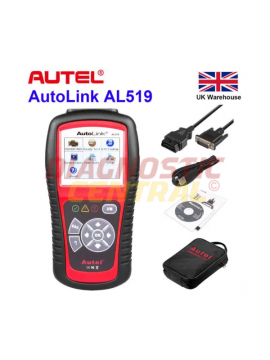
Modern vehicles increasingly tie service functions into multiple electronic modules. Oil degradation monitoring, battery registration, electronic parking brake service mode, DPF data, injector coding and condition-based servicing all sit within a broader diagnostics environment. In those cases, knowing how to reset service light alerts really means knowing when to stop using buttons and connect a proper scanner.
A diagnostic tool is the better option when the manual reset does not work, when the vehicle has a condition-based servicing system, or when the service light is bundled with other maintenance functions. This is common on newer German vehicles, premium models, and many vans used in daily trade work.
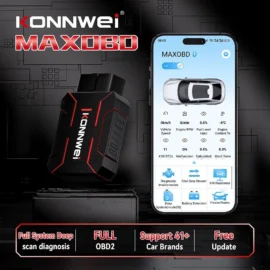
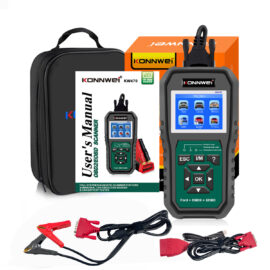
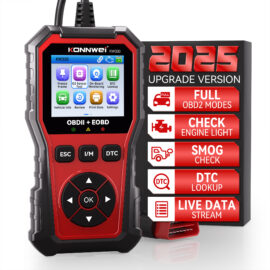
With a suitable diagnostic scanner, you can access the service module, read any stored codes, check the interval status and carry out the reset properly. More importantly, you can see whether the reminder is just a timer or whether another issue is stopping the reset. If, for example, the oil level is incorrect, the bonnet switch signal is missing, or the battery voltage is unstable, some vehicles will reject the command.
That is the difference between pressing buttons and diagnosing the system. One is a shortcut. The other is controlled, repeatable and far more useful in a workshop setting.
Why the light sometimes comes back
A service light that returns straight after reset is usually telling you one of three things. Either the reset procedure was incomplete, the wrong service item was reset, or the vehicle has detected a related fault that still needs attention.
A common example is a car that has had an oil change but still shows a service message because the oil quality monitor was not reset through diagnostics. Another is a brake service warning that remains active because the wear sensor has actually reached its limit and needs replacement. On certain models, a low battery can also interrupt the reset process or corrupt module communication.
This is where cheap, generic tools often fall short. They may read basic OBD2 emissions codes but not access manufacturer-specific service functions. For garages and serious DIY users, that limitation wastes time. If you are working across different makes, especially mixed fleets of cars and vans, compatibility matters more than headline claims on the box.
How to reset service light systems safely
Before you reset anything, confirm the service work has genuinely been completed. Check the oil grade, filter change, fluid levels and any model-specific items. If the vehicle uses service counters for inspections as well as oil changes, make sure you select the right one. Resetting the inspection interval instead of the oil interval, or vice versa, is a common mistake.
Next, stabilise the electrical system. Low voltage causes all sorts of problems during diagnostics. If you are in a workshop, use battery support where needed. If you are working at home, at least make sure the battery is healthy enough to hold ignition-on time without dropping below a safe level.
Then choose the correct method. If the manufacturer procedure calls for a manual reset, follow the exact sequence. If the vehicle needs scan tool access, use a tool with proper service reset capability for that make and model. There is no benefit in forcing a generic method onto a vehicle that clearly wants a manufacturer-level command.
After the reset, cycle the ignition fully, recheck the dashboard, and confirm the next service interval displays correctly. If the message remains, do not keep repeating the process blindly. Read the system data and find out why the command is being rejected.
Manual reset versus scan tool reset
There is no one-size-fits-all answer. A manual reset is fine for straightforward service reminders on vehicles designed to allow it. It is quick and practical. A scan tool reset is better when the vehicle is electronically complex, when multiple service functions are involved, or when you need proof that the reset has actually been stored.
For trade users, the decision is simple. Time spent hunting through inconsistent dash menus costs more than using the right diagnostic equipment from the start. For private owners, it depends on how often you work on your own vehicles and how modern those vehicles are. If you maintain one older car, a manual reset may be all you need. If you look after several vehicles, or anything with more advanced service logic, a proper scanner soon proves its value.
Common mistakes when resetting a service light
The biggest mistake is treating the service light as something to hide rather than something to manage. The reminder exists for a reason. Clearing it without carrying out the service undermines maintenance records and can cause trouble at resale or during later fault-finding.
Another mistake is confusing a service light with a fault lamp. If the engine warning light, DPF warning, ABS light or airbag light is on, a service reset will not solve it. Those systems need diagnosis, not a maintenance counter reset.
It is also worth being careful with online reset instructions. Many are incomplete, aimed at the wrong model year, or copied between similar vehicles that use different menus. A 2014 vehicle and a 2018 facelift of the same model may not share the same procedure at all.
For anyone doing this regularly, dependable diagnostic equipment pays for itself in fewer failed resets, fewer misdiagnosed warnings and less time wasted chasing dashboard messages that should have been sorted first time. That is exactly why specialists such as Diagnostic Central focus on tools built for real workshop use rather than generic marketplace guesswork.
If the service light is on, treat it as a prompt to verify the work, not just clear the display. Reset it properly, and the next maintenance interval will mean something when it matters.