
A warning light comes on five minutes before closing, the customer wants an answer on the spot, and guesswork is the quickest way to lose time and money. Knowing how to use diagnostic scanner tools properly is what separates a fast, accurate diagnosis from a parts-swapping exercise that fixes nothing.
A diagnostic scanner is not there to make decisions for you. It gives you access to the vehicle’s control units, stored fault codes, live data and system information, but the value comes from reading that information in context. Used properly, it shortens the route to the fault. Used badly, it points you towards a code and away from the real cause.
How to use diagnostic scanner tools the right way
Start with the basics before you even plug in. Check the vehicle details, confirm the complaint and pay attention to symptoms, recent repairs and battery condition. Modern vehicles are heavily dependent on stable voltage, and a weak battery can create misleading communication faults, sensor errors and low-voltage codes that are not the root problem.
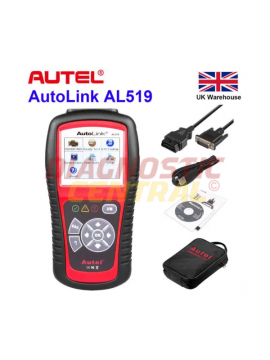
Next, locate the diagnostic port. On most cars and light vans it will be a 16-pin OBD2 socket, usually under the dashboard on the driver’s side, around the centre console, or behind a trim flap. On some commercial vehicles, older systems or brand-specific applications, you may need an adapter lead or dedicated module rather than a standard plug-and-play connection.
With the ignition in the correct position for the tool you’re using, connect the scanner securely. Some tools want ignition on and engine off for the initial scan. Others may ask for the engine running when viewing live data. Follow the scanner prompts, but also use common sense. If communication is unstable, do not force repeated scans without checking battery support and connector fit.
Once connected, enter the vehicle details accurately. Registration-based lookups can help, but manual confirmation is still worth doing. Engine code, model year and system type matter. Choose the wrong profile and you can end up with incomplete module access or misleading code descriptions.
Reading codes is only the first step
Most users begin with a full system scan, and that is usually the right move. It shows which modules are reporting faults and helps you see whether the issue is isolated or part of a wider electrical problem. If multiple systems are flagging communication errors, for example, you may be dealing with power supply, network faults or a low-voltage event rather than several unrelated failures.
Stored codes tell you what the module has detected. Pending codes show faults that have been seen but may not yet have matured. Permanent codes can remain in memory until the vehicle confirms the repair through a drive cycle. That distinction matters. Clearing codes too early can remove useful evidence and make an intermittent fault harder to catch.
A fault code is not a parts list. A code for an oxygen sensor, DPF pressure sensor or EGR circuit does not automatically mean that component has failed. Wiring damage, poor earths, blocked pipes, air leaks, software issues and mechanical faults can all trigger electronic complaints. This is where weaker tools and weaker habits waste time – they give you a label, not a diagnosis.
Use freeze frame and live data
If your scanner supports freeze frame data, use it. This shows the operating conditions when the fault was logged, such as engine load, coolant temperature, RPM and road speed. It helps you answer a more useful question than what code is present. It helps you understand when and why the fault happened.
Live data is where a scanner starts earning its place in the workshop. Instead of looking at a stored event, you can watch what the vehicle is doing now. Fuel trims, boost pressure, coolant temperature, throttle position, battery voltage, DPF values and sensor switching rates all help build a real picture.
The trade-off is that live data can overwhelm inexperienced users. The answer is not to ignore it. The answer is to focus on the values that match the complaint. If the vehicle has a starting issue, look at cranking voltage, RPM signal and rail pressure. If it has a boost fault, compare requested and actual boost. If it has an emissions warning, check the supporting sensors before condemning the obvious part.
How to use diagnostic scanner functions beyond code reading
Many scanners can do far more than read and clear codes. Depending on the tool and vehicle coverage, you may have access to service resets, injector coding, battery registration, DPF regeneration, steering angle calibration, EPB functions and actuator tests. These features save serious time, but only if you use them with care.
Actuator tests are especially useful because they let you command components on and off to verify operation. You can trigger a fan, operate an EGR valve, cycle injectors or check whether a relay is responding. This helps split electrical command issues from mechanical failures. If the scanner commands a component and nothing happens, you still need to decide whether the problem sits with the actuator, the circuit, the control unit or the conditions required for that test.
Service functions also come with conditions. A forced regeneration, for instance, is not a magic fix for every DPF warning. If the differential pressure readings are irrational, the sensor hoses are split, or the engine has another fault causing excessive soot loading, forcing a regen may achieve very little. Good diagnostics still start with the underlying cause.
Clear codes at the right time
Clearing fault codes should come after inspection and testing, not before. If you erase codes immediately, you lose the order in which they appeared and remove information that may point to the original trigger. There are exceptions. After a confirmed repair, clearing codes and carrying out a road test is the correct way to check whether the fault returns.
If a code comes straight back, that tells you something. If it only returns under load, from cold, or after a drive cycle, that also tells you something. Patterns matter more than isolated readings.
Common mistakes when learning how to use diagnostic scanner equipment
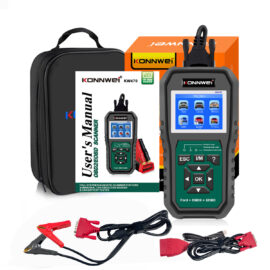
The first mistake is assuming all scanners do the same job. A basic code reader may be enough for engine fault codes on many vehicles, but it may not access ABS, airbag, body, transmission or manufacturer-specific systems. Workshops dealing with mixed fleets, vans and commercial vehicles usually need broader coverage, stronger software and the right adapter support.
The second mistake is ignoring voltage. Low battery voltage causes false symptoms, dropped communication and module errors. Before blaming the vehicle’s electronics, verify the supply. It is a simple check that prevents a lot of wasted time.
The third is trusting code text too literally. The wording on the screen is only a guide. It is useful, but it is not the final answer. Proper diagnosis still means checking wiring, connectors, fuses, sensor reference voltages and known failure points.
The fourth is skipping the road test or operating conditions. Some faults only appear under load, at motorway speeds, during regeneration attempts or when the engine is cold. Workshop readings alone do not always tell the full story.
Choosing the right scanner for the job
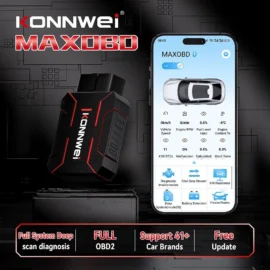
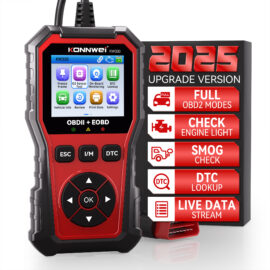
If you are a DIY user checking your own car, a straightforward OBD2 scanner with clear menus and live data may be enough. If you work on multiple makes, need service functions or diagnose faults daily, you need more than entry-level code reading. Coverage depth, update quality, response speed and accessory support make a real difference in day-to-day use.
For garages and mobile technicians, compatibility is not just a convenience. It affects booking time, job profitability and first-time fix rates. A tool that covers cars, vans and selected commercial applications can remove the need to switch between platforms, while proper cables and brand-specific modules extend what you can do on less standard systems.
That is where specialist suppliers matter. Diagnostic Central focuses on equipment built for actual fault-finding, not generic marketplace stock with inflated claims and thin support. If your tool is part of your income, reliability and proper coverage are not optional extras.
A practical workflow that saves time
In real workshop use, the best approach is consistent. Confirm the complaint, check voltage, connect the correct tool, run a full scan, record the codes, review freeze frame, inspect likely causes, use live data and actuator tests, then clear and retest after repair. That process is not complicated, but it is disciplined, and discipline is what turns a scanner into a diagnostic tool rather than an expensive code clearer.
There will always be cases where the scanner gets you 80 per cent of the way and hands over to traditional testing. That is normal. Diagnostics today is a mix of electronic data, electrical checks and mechanical judgement. The scanner gives you the direction. Your job is to finish the diagnosis properly.
The more you use a diagnostic scanner with a methodical approach, the quicker your decisions become and the fewer parts you fit on a guess. That is what good equipment is for – not just finding a code, but getting to the fault with confidence.