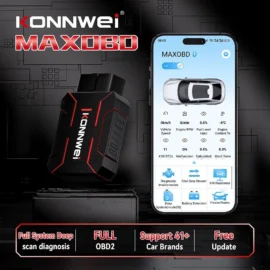
A cheap adapter that connects once and reads a single engine code can look impressive on a product page. It is far less impressive when a customer is waiting, the vehicle has intermittent faults, and the adapter drops connection halfway through live data. This OBD2 adapter review focuses on what matters in real UK workshop use: stable communication, genuine vehicle coverage, useful data and a setup that does not waste time.
An OBD2 adapter is not automatically a full diagnostic tool. It is the communication bridge between the vehicle’s diagnostic socket and an app, phone, tablet or dedicated scanner. Its value depends on both the adapter hardware and the software being used. Buy on price alone and you may get basic generic fault-code reading. Choose properly and you can have a quick, portable tool for initial checks, road tests and customer vehicles.
What an OBD2 adapter should do well
At the minimum, a suitable adapter should read and clear generic engine-related fault codes, display live data and identify basic emissions faults on OBD2-compliant petrol vehicles and EOBD-compliant diesel vehicles. For a competent DIY user, that may be enough to investigate an engine management light, check coolant temperature, monitor fuel trims or confirm whether a repair has addressed a stored code.
For a professional, that is only the starting point. Daily diagnostic work demands a reliable connection, quick data refresh rates and software that makes sense of the information. A low-cost clone may technically connect to the vehicle but communicate slowly, lose packets of data or fail with certain control units. That makes it unsuitable when diagnosing a misfire under load, a sporadic sensor signal or a fault that appears only during a road test.
The right adapter also needs to respect the line between generic OBD and manufacturer-level diagnostics. Standard OBD2 access generally centres on the powertrain and emissions system. It does not guarantee access to ABS, airbag, body control, service functions, electronic parking brakes or coding. If the job requires brand-specific modules or bi-directional tests, use a suitable dedicated diagnostic scanner or manufacturer-capable platform instead of expecting a basic adapter to do everything.
OBD2 adapter review: Bluetooth, Wi-Fi or wired?
Connection type changes how an adapter performs in practice. There is no universal winner, because the best choice depends on the device you use and the work you carry out.
Bluetooth adapters
Bluetooth is the practical choice for most Android users and many workshop environments. It keeps the setup tidy, allows the technician to move around the vehicle and is well suited to live-data logging on a road test. A good Bluetooth adapter should pair quickly, retain a stable connection and have enough processing speed to deliver usable refresh rates across several data parameters.
Compatibility needs checking before purchase. Older Bluetooth adapters may use a connection method not supported by some Apple devices. Bluetooth Low Energy versions are often a better fit for iPhone and iPad users, but the app must support the particular adapter. Do not assume that an adapter appearing in your phone’s Bluetooth menu means it will work with every diagnostic application.
Wi-Fi adapters
Wi-Fi adapters are commonly used with iOS devices because they can provide a dependable direct connection where standard Bluetooth compatibility is limited. They can be capable tools, particularly for tablet-based checks, but they require more attention during setup. Connecting the phone or tablet to the adapter’s Wi-Fi network can remove normal internet access while diagnostics are running.
That is not a fault in itself, but it can be inconvenient when checking technical information, messaging a customer or using cloud-based workshop systems at the same time. Wi-Fi can be a sensible solution for a fixed process, but it is rarely the most convenient option for every technician.
Wired options
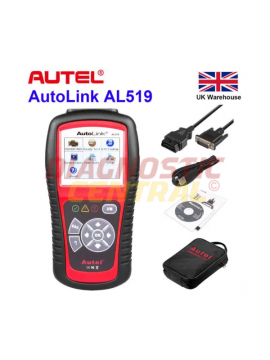
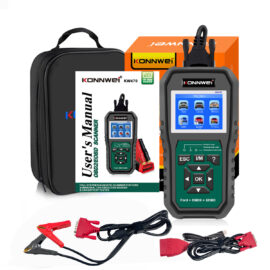
A wired connection remains the sensible choice where connection certainty is more important than mobility. Dedicated handheld scanners and USB interfaces avoid wireless pairing issues and are usually better suited to intensive diagnostics, programming support and vehicles that demand stable communication.
The drawback is obvious: cables can get in the way, particularly during a road test. Still, a wired tool earns its place in any serious diagnostic setup. Wireless adapters are excellent for speed and convenience, not a replacement for every professional-level operation.
Vehicle compatibility is where buyers get caught out
The presence of a 16-pin diagnostic socket does not tell the whole story. Most UK petrol cars from 2001 onwards and diesel cars from 2004 onwards support EOBD requirements, but the level of accessible information varies by make, model, engine and year. Older vehicles, imports, commercial vehicles and certain specialist applications may need a different connector, software package or manufacturer-specific interface.
Protocol support also matters. Vehicles may communicate using CAN, ISO9141, KWP2000 or other protocols. Quality adapters support the relevant standards correctly and identify the communication method without repeated failed attempts. Poorly made units can claim broad protocol support yet prove inconsistent on the vehicles that matter most.
Before choosing, establish exactly what you need to diagnose. A motorist checking a 2016 petrol hatchback for generic engine faults has a very different requirement from a mobile technician working across Ford, Vauxhall, Volkswagen and light commercial vehicles. A garage handling lorries, trailers or older vehicles should consider the correct adapter leads and purpose-built commercial diagnostic equipment from the outset.
The specifications that genuinely affect diagnostic speed
Marketing claims can make every adapter sound professional. Focus on the details that change the result at the vehicle.
First, look at supported functions rather than a vague promise of “full system diagnostics”. Confirm whether the software can access the systems you need and whether any paid subscription is required. An adapter can be capable, while the supplied app is limited or the advanced functions are locked behind an ongoing fee.
Second, consider live-data performance. Reading one parameter, such as engine speed, is easy. Monitoring RPM, mass air flow, boost pressure, throttle position, fuel trims and coolant temperature together needs a faster, stable interface. Slow refresh rates can hide the very fault pattern you are trying to find.
Third, check build quality. The OBD socket sits in a vulnerable position under the dashboard, where feet, knees and trim panels can catch a protruding adapter. A compact, well-finished unit with a secure connector is safer for regular use. It should also manage power properly. Some vehicles keep the diagnostic port live after ignition-off, so leaving any adapter permanently connected can contribute to battery drain.
Finally, assess the software ecosystem. Clear fault-code definitions, freeze-frame data, graphing and custom dashboards make an adapter more useful. So does the ability to export a report or record a drive. Generic code readers often identify a P-code but cannot explain the root cause. The diagnostic process still requires testing, wiring checks and mechanical judgement.
Where inexpensive adapters are useful – and where they are not
A budget adapter has a valid place in the toolbox. It is useful for checking generic codes before a garage visit, verifying that a warning light has not immediately returned after a repair, or keeping an eye on live engine values in an enthusiast vehicle. It can also be a convenient secondary device for a technician who needs a quick connection without carrying a larger scanner.
It is not the right answer for safety-critical module diagnosis, key programming, coding, injector coding, service resets across multiple makes or advanced actuator tests. Clearing a code does not repair the fault, and repeatedly clearing warnings without understanding why they appeared can mask a developing issue. Airbag, ABS and braking faults require proper investigation, not guesswork from a generic app.
For workshops, the strongest approach is usually layered. Keep a quality OBD2 adapter for fast triage and live monitoring, then use a professional scanner with verified manufacturer coverage for deeper work. This reduces time on straightforward jobs without compromising capability when the fault is more involved.
A practical buying decision
Choose a Bluetooth or Bluetooth Low Energy adapter if you need portable checks and road-test data, provided it is confirmed for your phone, tablet and preferred software. Choose Wi-Fi if it is the proven route for your iOS setup and you are comfortable managing the connection. Choose a wired scanner or interface when module access, stability and advanced functions are non-negotiable.
At Diagnostic Central, the sensible question is never simply whether an adapter is cheap. It is whether it can communicate reliably with the vehicle in front of you and provide information you can act on. Buy for the work you actually carry out, keep expectations realistic about generic OBD2 coverage, and the right adapter will save diagnostic time rather than create another fault to chase.