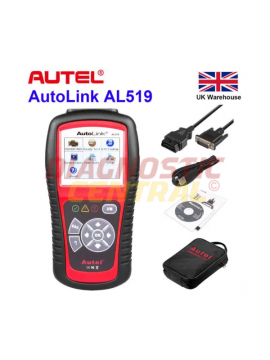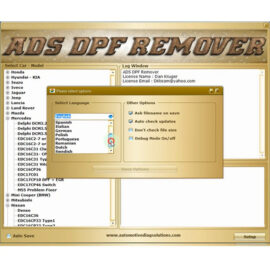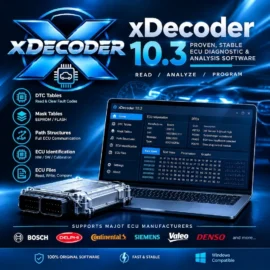
A customer rings with an engine warning light, reduced power and a vehicle needed for work the following morning. Guesswork starts costing money before the car or van reaches the workshop. Remote diagnostics can give a technician an early view of stored faults, live readings and vehicle status, helping them decide what needs attention and what parts or equipment may be required.
For busy independent garages, mobile mechanics and fleet operators, the value is straightforward: fewer blind appointments, better job planning and faster communication with the driver. It is not a replacement for proper testing on the vehicle, but used correctly, it is a useful first stage in a disciplined diagnostic process.
What remote diagnostics means in a workshop setting
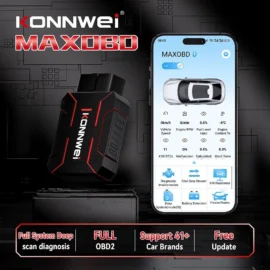
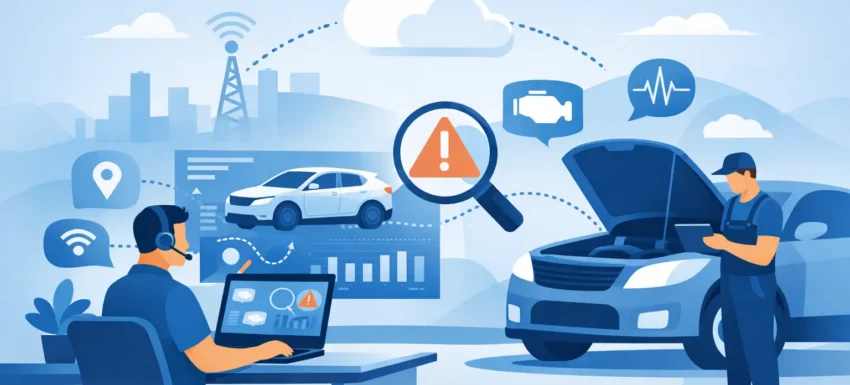
Remote diagnostics is the process of retrieving and reviewing vehicle information without a technician being physically connected to the diagnostic socket at that moment. In most cases, a compatible device connects to the vehicle’s OBD port and sends information through a mobile network, Wi-Fi or a paired mobile phone application. The technician can then view relevant information from another location.
The exact capability depends on the vehicle, the diagnostic hardware and the software platform. Basic systems may show generic fault codes, battery voltage, mileage and warning-light status. More capable vehicle-specific systems can provide live data, module information, service status and enhanced manufacturer codes. Commercial vehicle and fleet solutions may add location, driving data and scheduled reporting.
This distinction matters. Reading a generic powertrain code remotely is useful, but it is not the same as carrying out full dealer-level interrogation of every control unit. Before buying any system, check vehicle coverage, communication method, subscription requirements and whether it supports the modules you need to work with.
Remote access is not remote repair
A fault code identifies the system that has detected a problem. It does not automatically identify the failed component. For example, a code relating to low boost pressure could result from a split hose, sticking actuator, vacuum leak, sensor issue, wiring fault or a problem within the turbocharger itself.
Remote data allows the technician to prioritise likely causes and prepare for the inspection. It cannot replace visual checks, circuit testing, pressure testing or mechanical assessment. A sound workflow uses remote information to narrow the search, then confirms the fault with the correct tools at the vehicle.
Where remote diagnostics saves real workshop time
The strongest use case is triage. A workshop can assess whether a vehicle needs immediate recovery, whether it is likely safe to drive in for an appointment, or whether the fault is likely to need more than a quick code read. This is particularly useful for self-employed drivers, delivery vans and tradespeople who cannot afford unnecessary downtime.
It also improves booking quality. If preliminary data points to a recurring DPF-related concern, battery and charging issue, or a persistent emissions fault, the garage can allocate the right time slot and ensure the appropriate technician is available. If a part is a likely requirement, the team can investigate availability before the vehicle arrives rather than discovering the issue with the car already occupying a ramp.
Mobile technicians benefit in a similar way. Reviewing the reported code and basic operating data before travelling helps determine whether to take a battery tester, wiring repair equipment, pressure gauges or a more advanced scan tool. It will not eliminate every second visit, but it can reduce avoidable journeys and help technicians arrive better prepared.
For fleets, repeated remote checks can reveal patterns that are easy to miss when each vehicle is considered separately. Low system voltage across several vans, repeated EGR-related faults on a particular route, or regular tyre-pressure warnings can point to a maintenance issue rather than isolated driver reports.
Choosing hardware for remote diagnostics
The right setup starts with the work you actually carry out. A competent DIY user monitoring one family vehicle has very different needs from a garage dealing with mixed makes, light commercial vehicles and regular electrical faults.
First, establish the required coverage. Most petrol vehicles sold in the UK from 2001 and diesel vehicles from 2004 support standard OBD2 functions, but generic OBD2 access is only one level of diagnosis. If you need ABS, airbag, body control, transmission, DPF, electronic parking brake or service functions, confirm enhanced coverage for the exact make, model and year.
Next, consider how data will be transmitted. A Bluetooth device paired to a driver’s mobile phone can be cost-effective, but it relies on the mobile phone being present, connected and correctly configured. A dedicated cellular device is more suitable where regular unattended reporting is required, though it may involve a data plan or subscription. Wi-Fi can work well for vehicles returning to the same depot, but it is less practical for a van working across the country.
Reliability should come before novelty. Cheap adapters can disconnect, report incomplete data or fail to communicate with certain vehicles. In the worst cases, poor-quality hardware and unsupported software can interfere with vehicle communication. Use equipment designed for automotive diagnostic work, keep applications updated and avoid plugging unknown devices into a customer’s vehicle.
Do not overlook power management
Any device that remains connected can draw current. Usually the draw is small, but it can become relevant on a vehicle that is parked for long periods, has a weak battery or is used only for short journeys. A remote diagnostic device should be selected and configured with sleep modes and power consumption in mind.
Battery condition remains a foundation of reliable diagnosis. Low voltage can create misleading fault codes, module communication errors and intermittent warning lights. Remote voltage information is useful, but a proper battery and charging-system test is still the right next step when voltage readings are questionable.
A practical process for using remote data
Start by recording the customer’s complaint in plain language. Find out when the warning appeared, whether it is constant or intermittent, how the vehicle drives, and whether any work was recently carried out. A code without symptoms can send diagnostics in the wrong direction.
Then review stored, pending and permanent codes where available, along with freeze-frame information. Freeze-frame data can show the engine speed, coolant temperature, load and other conditions present when a fault was logged. That context is often more useful than the code description alone.
Compare live data to the reported issue. Look for values that do not make sense: battery voltage dropping while driving, implausible intake-air readings, coolant temperature that never reaches normal operating range, or a DPF differential-pressure value that appears inconsistent. Treat these as leads, not verdicts.
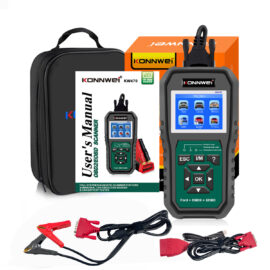
At the appointment, scan the vehicle again using a suitable professional tool. Check all relevant modules, inspect wiring and connectors, and test the suspected circuit or component. Clear codes only after recording them and only after the cause has been addressed. Clearing a fault merely turns off the message temporarily if the underlying problem remains.
Security, consent and customer confidence
Remote vehicle data is still customer data. Garages should be clear about what information is being collected, who can view it and how long it is retained. Obtain consent before fitting a connected device, particularly where location or journey information may be recorded.
Use strong account passwords, limit access to staff who need it, and remove devices or revoke access when a vehicle is sold, returned or no longer under management. For workshop use, it is sensible to keep remote access separate from any vehicle programming or coding process. Diagnostic monitoring and security-sensitive vehicle functions should not be treated as the same thing.
When a remote check is the wrong answer
Some faults need hands-on attention immediately. A red oil-pressure warning, overheating, fuel leak, brake warning, severe misfire, flashing engine-management light or unusual mechanical noise should not be managed through an app alone. Advise the driver to stop safely where appropriate and arrange recovery or inspection.
Remote diagnostics also has limits with intermittent wiring faults, damaged connectors, CAN network issues and mechanical failures. A device can report a communication fault, but finding the source may require a wiring diagram, multimeter, oscilloscope and careful physical inspection.
The best results come from treating remote information as an efficient starting point. Choose compatible, dependable equipment, use the data to plan the job, and confirm every diagnosis with proper workshop testing. That approach protects repair quality, keeps customers informed and gives every technician a better chance of fixing the vehicle right first time.