You have repaired the fault, the engine management light is out, and the car feels right. That does not automatically mean it is ready for an MOT. If fault codes have recently been cleared, the vehicle’s emissions monitors may still be incomplete. Knowing how to check OBD readiness before the test prevents wasted bookings, repeat journeys and the awkward question of why a seemingly fixed vehicle is not yet ready for inspection.
OBD readiness is a quick check with the right diagnostic scanner, but interpreting the result properly matters. A basic code reader may show that there are no stored faults while missing the fact that several monitors have not completed. For garages, mobile technicians and competent DIY owners, the difference is time, credibility and a more reliable repair process.
What OBD readiness actually means
An OBD system continuously watches key emissions-related components and systems. These checks are called readiness monitors. The engine control unit runs them only when the correct operating conditions occur, such as a cold start, stable road speed, a period of deceleration, a warm engine or a certain fuel level.
When a monitor has run and found no fault, its status becomes complete or ready. If it has not yet had the chance to run, it is shown as not ready, incomplete or INC, depending on the scan tool. A monitor can also be marked not supported, which is normal where that test does not apply to the vehicle.
Clearing diagnostic trouble codes usually resets the readiness data. Disconnecting the battery can do the same on many vehicles. That is why a car can have no warning light and no current codes immediately after a repair, yet still show several incomplete monitors. The ECU needs real driving time and the right conditions to verify its own work.
How to check OBD readiness with a scanner
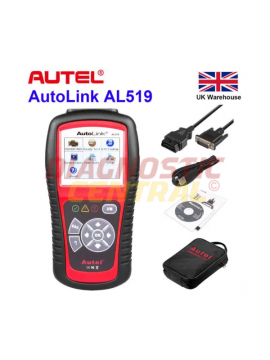
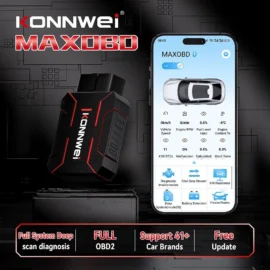
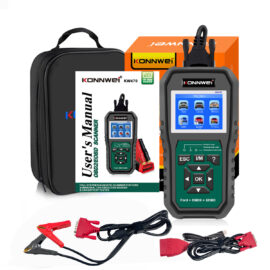
Use a scanner that supports live OBD2 data and an I/M Readiness or Emissions Readiness function. Many professional diagnostic platforms and quality handheld OBD2 readers provide this screen, usually within the generic OBD or EOBD menu. It is a useful function to have even when you also use manufacturer-level diagnostics, because the generic readiness result is quick to access and easy to assess.
Connect with the ignition on
Park safely, apply the handbrake and switch off unnecessary electrical loads. Locate the vehicle’s 16-pin diagnostic socket, normally beneath the dashboard on the driver’s side, though its position varies. Plug in the scanner, switch the ignition on and allow the tool to identify the vehicle or establish a generic OBD connection.
For the first check, the engine does not always need to be running. However, running the engine may be necessary if the tool requires a stable communication session or if you intend to review live data at the same time.
Open the I/M readiness menu
Look for wording such as I/M Readiness, Inspection and Maintenance, Emissions Readiness, Monitor Status or Readiness Monitors. The display will normally separate continuous monitors from non-continuous monitors.
Continuous monitors, including misfire, fuel system and comprehensive component monitoring, operate during normal running. Non-continuous monitors include systems such as the catalytic converter, oxygen sensors, evaporative emissions system, EGR and secondary air injection. The exact list depends on engine type, fuel type, emissions standard and vehicle specification.
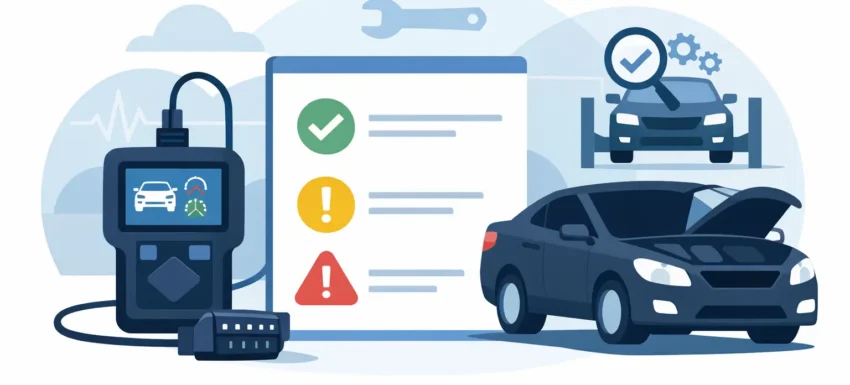
A healthy result is not simply a screen full of green ticks. Read each line:
- Ready or Complete means the monitor has run successfully since codes were cleared.
- Not Ready, Incomplete or INC means the ECU has not completed that test yet.
- Not Supported or N/A means that monitor is not fitted or not required on that vehicle.
- Failed, where shown by more advanced equipment, points to an actual fault rather than a lack of drive-cycle completion.
Also scan for stored, pending and permanent fault codes. A pending code may not yet have switched on the management light, but it can reveal a fault that is returning as the monitor runs. Do not rely on readiness alone when a customer reports an intermittent warning light, poor economy, rough running or an emissions concern.
Record the result before clearing anything
If a monitor is incomplete, resist the temptation to clear codes again. That resets the process and takes you back to the start. Save a diagnostic report or take a clear photo of the readiness screen, then check freeze-frame information, live sensor readings and fault history if the vehicle has a reason for failing to complete.
For a workshop, this evidence is valuable. It shows whether the vehicle genuinely needs a drive cycle, or whether a repair has not addressed the underlying issue.
Which readiness monitors matter before an MOT?
The MOT tester follows the inspection requirements that apply to the vehicle’s age, fuel type and equipment. The final decision always sits with the MOT station and its approved test equipment. Do not assume every vehicle is assessed in exactly the same way, particularly with older vehicles, diesels, hybrids and vehicles with manufacturer-specific emissions strategies.
That said, a readiness check is still the sensible pre-test routine on OBD-equipped vehicles. If several applicable monitors are incomplete after recent work, there is a clear risk that the car has not completed its emissions self-checks. It is better to identify that on the ramp or driveway than at the test station.
For petrol vehicles, catalyst and oxygen-sensor monitors are particularly relevant because they relate directly to closed-loop fuelling and exhaust after-treatment. The EVAP monitor is often the slowest to complete, as it can require a particular fuel level and an extended parked period. Diesel vehicles have their own considerations, including EGR operation, boost control, exhaust temperature sensing and, on newer models, DPF-related systems. A generic scanner gives a strong first view, but manufacturer diagnostics can be needed where a monitor refuses to run.
Why a monitor stays not ready
The most common reason is simple: the vehicle has not been driven through the conditions the ECU requires. A five-minute run around town after clearing codes is rarely enough. Some monitors need a cold start followed by mixed driving, while others need a steady cruise and a closed-throttle deceleration. EVAP checks can be especially fussy about ambient temperature, fuel level and how long the vehicle has been parked.
The less convenient explanation is that the ECU is trying to run the test but cannot complete it because a fault remains. A lazy oxygen sensor, coolant temperature sensor reading, intake leak, incorrect fuel trim, thermostat stuck open or low battery voltage can all interfere with monitor completion. On diesel vehicles, incomplete regeneration conditions or implausible sensor data may have a similar effect.
Do not treat a not-ready status as proof of a failed component. It is a diagnostic direction, not a parts order. First establish whether the vehicle has been through a suitable drive cycle. If it has, use live data and vehicle-specific fault finding to identify what is blocking the test.
Completing the drive cycle without guesswork
There is no single universal drive cycle that works for every make and model. Manufacturer procedures are best where available, especially for newer vehicles and difficult cases. Generic driving can often complete the main monitors, but it must be done safely and legally.
Start from a genuine cold engine where possible. Allow the engine to reach normal operating temperature, then drive through a mixture of steady urban running and a sustained road-speed section. A controlled lift-off period can help some catalyst, EGR and fuel-system checks. Avoid aggressive acceleration, heavy electrical loads and repeated short stops if the aim is to give the ECU stable conditions.
Keep the fuel level sensible rather than running close to empty or completely full. Many EVAP routines will not run outside a middle fuel-level range. Once the drive is complete, recheck readiness rather than assuming the journey did the job. It may take more than one trip and, for some EVAP systems, an overnight key-off period.
Common mistakes that waste time
The biggest mistake is clearing codes immediately before an MOT to hide the engine management light. It often creates an incomplete readiness result and removes useful evidence about the original fault. Clearing codes is a diagnostic action, not a repair.
Another mistake is interpreting “not supported” as “not ready”. A vehicle does not need to support every possible monitor. Read the labels carefully, and compare only the monitors applicable to that vehicle. Cheap readers can also use vague wording or provide limited data, which is why a reliable scanner with clear I/M readiness reporting is worth having in a working toolkit.
Finally, do not ignore battery condition. Low voltage can cause communication errors, implausible sensor readings and resets on some vehicles. If the vehicle has been standing, test and charge the battery before chasing a readiness issue that may be electrical rather than emissions-related.
A readiness screen takes minutes to inspect, yet it can save a customer an MOT failure and save a technician a return visit. Check it after repairs, confirm there are no returning codes, and let the ECU prove the emissions systems are doing their job before the vehicle reaches the test lane.