A service light can be easy to switch off and still be the wrong job to perform. The best tools for service resets do more than clear a dashboard reminder: they communicate with the correct control unit, confirm the relevant conditions and, where supported, reset the maintenance data properly. That matters when you are dealing with variable service intervals, electronic parking brakes, battery monitoring systems or diesel after-treatment.
Quick answer
- A basic OBD2 code reader is rarely enough for proper service resets.
- For oil and inspection work, choose a tool with make-specific service coverage rather than relying on generic menus.
- A multi-system diagnostic scanner is the sensible choice for regular workshop use, especially where EPB, DPF and battery functions are required.
- Check the exact vehicle, model year, engine and function before buying. Menu coverage can vary even within one manufacturer.
What a service reset tool actually does
Service reset is often used as a catch-all term, but the function required depends on the work completed. An oil service reset usually updates the instrument cluster or body control module so the next service interval is calculated correctly. On many vehicles this is not the same as clearing fault codes.
Other common functions include inspection resets, brake pad replacement mode, electronic parking brake retraction, battery registration, steering angle sensor calibration, DPF-related data functions and AdBlue or SCR resets. Some are genuine maintenance procedures. Others are guided functions that should only be used after the underlying repair has been completed and checked.
A capable tool reads live vehicle information, accesses the relevant module and presents supported functions in a controlled menu. That is why a proper diagnostic scanner is usually more useful than a cheap universal reader when servicing modern cars and light commercial vehicles.
The best tools for service resets by job type
The right choice depends on how often you carry out servicing and how broad your vehicle coverage needs to be. There is no single scanner that is the best value for every garage, mobile technician or DIY owner.
Basic oil and inspection reset tools
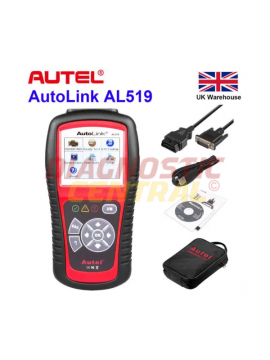
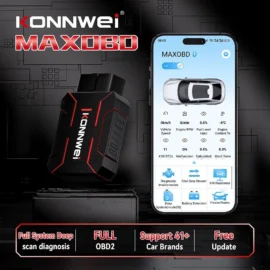
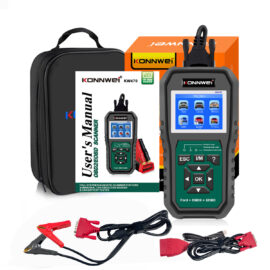
A dedicated service reset reader can suit a competent DIY user or a technician who only needs oil and inspection functions on a narrow range of vehicles. These tools are generally quick to use, compact and lower in cost than a full diagnostic tablet.
The limitation is coverage. A budget unit may reset an oil reminder on many common vehicles but have no access to EPB, battery registration, DPF functions or manufacturer-specific maintenance menus. It may also support one model year but not another. Treat advertised make coverage as a starting point, not a guarantee.
This option makes sense where the task is genuinely limited to routine service reminders. It is less suitable if the vehicle arrives with warning lights, electronic brake work or a replacement battery that requires coding or registration.
Multi-make diagnostic scanners
For independent garages and mobile mechanics, a multi-make diagnostic scanner is normally the strongest all-round option. These tools can combine code reading, live data, actuator tests and service functions in one unit. The practical advantage is not simply having more menu items. It is being able to diagnose why a reset is unavailable rather than repeatedly attempting it.
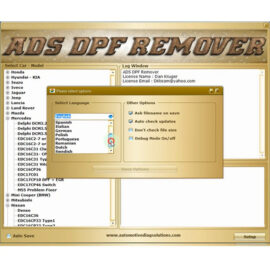
For example, an EPB service function may identify whether the rear caliper motors have retracted and whether a fault is preventing the procedure. A battery function may guide the technician through entering battery technology, capacity and serial data where the vehicle requires registration. A DPF menu may display soot load and differential pressure before any regeneration procedure is considered.
Diagnostic Central’s multi-system scan tool range is best suited to buyers who work across several makes and need more than a basic service lamp reset. Check whether the selected model includes the specific service software you require and whether software updates or subscriptions apply.
Brand-specific diagnostic tools
A brand-specific interface or module can be the better choice when a workshop focuses on one manufacturer group. Factory-level or specialist software can offer deeper access to service procedures, adaptations and module data than a general-purpose scanner, depending on the vehicle and system.
The trade-off is straightforward: it is less flexible for mixed fleets. A Volkswagen Group specialist tool may be excellent for a VAG-focused workshop but will not replace a broad multi-make platform for daily work on Ford, BMW, Peugeot, Mercedes-Benz and other makes.
This route is particularly useful where service resets are tied to coding, adaptations or guided routines. It demands more technical understanding, however. The correct procedure, stable voltage and accurate vehicle identification still matter.
Workshop tablets with advanced maintenance functions
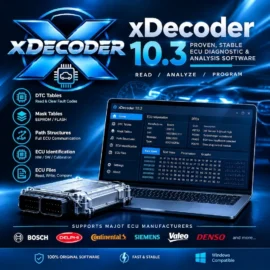
A professional diagnostic tablet is often the best long-term purchase for a busy workshop that sees a wide age range of vehicles. Larger screens make guided procedures easier to follow, while more advanced platforms can provide topology views, bi-directional tests, live graphing and extensive special functions.
These are valuable when a service task exposes another issue. If an oil level warning remains after servicing, or an EPB will not enter maintenance mode, live data and module fault information can prevent guesswork. The scanner becomes part of the diagnostic process rather than a device used only at the end of the job.
Not every advanced function will be supported on every vehicle, and a menu option is not permission to use it without checks. Forced regenerations, injector coding and calibrations have specific operating conditions. Follow the vehicle procedure and use battery support where voltage stability is required.
Functions worth checking before you buy
Do not choose a service tool on the number of advertised functions alone. The quality of coverage on the vehicles you actually see is more useful than a long headline list.
Check oil and inspection reset coverage first, including flexible or condition-based servicing where relevant. Then consider electronic parking brake service mode if you replace rear pads, battery registration if you fit batteries on stop-start vehicles, and DPF data or reset functions if you work on modern diesels. Tyre pressure monitoring resets, steering angle calibration and throttle or gearbox adaptations may also be relevant, but only if they match your usual workload.
For commercial work, confirm support for the lorries, vans, trailers and diagnostic connectors in your fleet. Passenger-car OBD2 coverage does not automatically mean a tool will communicate with heavy-duty systems. The correct lorry and trailer adapter cables are often as important as the scanner itself.
Why a reset can fail
A failed reset does not automatically mean the scan tool is faulty. The vehicle may have an active fault, insufficient battery voltage, a missed precondition or a communication issue. In other cases, the service counter being reset is not the one displayed on the dash.
A common example is replacing brake pads on a car with an electronic parking brake. If the caliper has not been placed in service mode correctly, or if a motor fault is stored, the reset may be blocked. Likewise, registering a new battery is not the same as erasing a battery-related code. The vehicle may need its battery management system told the new battery type and capacity so charging strategy can be managed correctly.
Never clear warnings simply to return a vehicle to the customer. Record fault codes before clearing them, verify the repair and confirm that the reset has been accepted. This is faster than dealing with a repeat booking for the same warning lamp.
Practical buying advice for DIY users and workshops
DIY users should prioritise clear menus, supported service functions and dependable vehicle coverage over headline complexity. A tool that reliably performs oil resets and reads manufacturer-level fault codes on your own car is usually more valuable than a cheaper unit claiming dozens of functions with limited application.
Workshops should assess the vehicles they see each week, not just the vehicles they would like to cover. If most jobs involve mixed makes, investing in a multi-make scanner with regular software support is sensible. If the business specialises in a manufacturer group, add a brand-specific solution for deeper work.
Also consider power and accessories. Battery support equipment can prevent low-voltage interruptions during coding or guided routines, while quality adapter leads are essential for older vehicles and commercial applications. A service reset tool is only as effective as its communication path and the technician using it.
FAQs
Can any OBD2 scanner reset a service light?
No. Most basic OBD2 scanners can read and clear generic emissions-related fault codes, but service interval resets are usually manufacturer-specific functions. You need a tool that lists the correct reset function for the vehicle concerned.
Is an oil service reset the same as clearing fault codes?
No. An oil reset updates maintenance interval data. Clearing codes removes stored diagnostic fault information, sometimes temporarily. A vehicle can have a successful oil reset and still retain a fault that requires repair.
Do I need to register every replacement battery?
Not every vehicle requires it, but many modern stop-start vehicles use battery monitoring systems and benefit from, or require, battery registration or coding. Check the manufacturer procedure and use the correct battery technology and rating.
Can a scan tool force a DPF regeneration?
Some professional tools offer this function where supported, but it should not be the first response to a DPF warning. Check fault codes, soot load, differential pressure, exhaust temperature data and the cause of blockage before considering a regeneration procedure.
Will one tool cover every car and van?
No scanner covers every function on every vehicle. Coverage changes by make, model, year, engine, module and software version. Always verify the exact required function before purchase.
Choose equipment based on the vehicles in front of you and the work you carry out, not the biggest feature list. If you need help selecting a suitable service reset tool, contact Diagnostic Central with the registration or VIN, the vehicle details and the exact functions you need to perform.