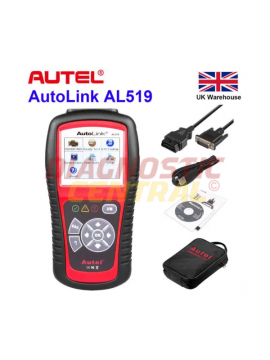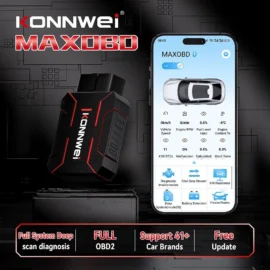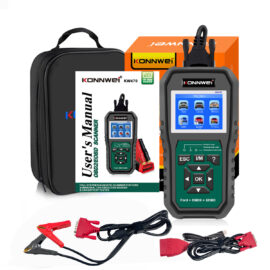

A scan tool that will not talk to the vehicle is rarely the tool’s fault. More often, the issue sits between the socket and the machine. If you want to know how to use diagnostic adapters properly, you need to treat them as part of the diagnostic system, not just a cheap add-on in the case.
Adapters matter because modern workshops do not deal with one connector type, one brand, or one vehicle class. You might be checking a hatchback in the morning, a van at lunch, and a lorry or trailer in the afternoon. The right adapter cable or module makes that switch possible. The wrong one wastes time, gives false confidence, or leaves you staring at a communication error when the fault is simply poor compatibility.
What diagnostic adapters actually do
A diagnostic adapter is the link between your diagnostic tool and the vehicle’s communication port. Sometimes it converts one physical plug to another. In other cases, it also routes the correct pins so the tool can access the right system or protocol. That distinction matters.
A basic adapter may only solve a connector mismatch. A more specialised adapter can be vehicle-specific, system-specific, or designed for commercial applications where the socket and wiring differ from standard OBD2 layouts. This is why one adapter is not interchangeable with another, even when the plugs appear similar at a glance.
For a professional workshop, that means adapters should be chosen by application, not guesswork. For a competent DIY user, it means checking compatibility before you plug anything in. Physical fit is only half the job.
How to use diagnostic adapters without causing problems
The first step is identifying the vehicle correctly. That means make, model, year, engine type, and whether you are working on a passenger car, van, lorry, trailer, or plant equipment. Diagnostic ports changed over time, and many manufacturers used brand-specific connections before standard OBD2 became common. Commercial vehicles are a separate category again, often relying on dedicated adapter leads rather than a standard passenger car setup.
Once you know the vehicle, match the adapter to both the vehicle and the tool. This is where people go wrong. They confirm the adapter fits the vehicle but forget to confirm it works with the scanner or interface they already own. Some tools are built to work with a broad range of adapters, while others need specific leads or branded modules. If the tool cannot interpret the data path provided by the adapter, connection will still fail.
Before connecting anything, inspect the adapter. Check for bent pins, loose housings, frayed cable jackets, or signs of previous strain. Workshop cables take abuse. A damaged adapter can interrupt communication intermittently, which is one of the worst faults to chase because it looks like a vehicle issue until it happens again on the next job.
Then switch the ignition to the correct position for the test you are carrying out. Some diagnostics require ignition on with engine off. Others need the engine running for live data, charging checks, or actuator testing. If the tool instructions specify a sequence, follow it. Adapters do not correct poor connection procedure.
Connect the adapter firmly to the vehicle first, then to the diagnostic tool, unless the tool manufacturer advises otherwise. Make sure each end is properly seated. A loose fit can give power without stable communication, which leads to partial connection or dropped sessions.
Checking power and communication
If the tool does not connect, do not assume the adapter is faulty straight away. Start with the basics. Confirm the diagnostic socket has power where it should. Check the relevant fuse. Make sure the vehicle battery voltage is healthy enough to support the scan session. Low voltage causes more communication faults than many users realise.
Next, confirm you are using the correct software menu or vehicle selection on the tool. Even with the right adapter fitted, the wrong protocol or brand selection can block access. On multi-make systems this is especially common.
If you still cannot establish communication, compare the adapter against the intended application again. This matters with older vehicles, brand-specific leads, and commercial adapters. Two cables may look nearly identical while serving different pin assignments.
How to use diagnostic adapters on older and specialist vehicles
Older vehicles are where adapters earn their keep. Many pre-OBD2 systems rely on manufacturer-specific sockets, and even early OBD-era models can vary. In these cases, the adapter is not optional. It is the only route into the system.
The process is similar, but there is less room for assumption. You need to verify the exact adapter reference, check whether the vehicle supports full diagnostics or only limited fault code access, and understand that older systems may not offer the same breadth of live data you would expect on a newer car.
This is also where cheaper generic adapters often fall short. They may power up and appear to connect, but poor pin quality or incorrect routing can lead to incomplete communication. In a workshop, that costs time. In some cases, it leads to replacing parts based on weak information. Proper diagnostics depend on reliable signal paths.
Commercial vehicles and why the adapter choice matters more
On vans, lorries, and trailers, adapter use becomes more application-specific. Commercial diagnostics often involve different connector standards, deeper system access requirements, and harsher working conditions. A loose or badly made adapter that might survive occasional car use will not last long in a busy workshop environment.
There is also a practical point here. Commercial downtime costs money quickly. If you are diagnosing an ABS fault on a trailer or trying to pull engine data from a fleet van, you need a connection that works first time. The adapter is not a minor accessory in that scenario. It is what makes the job possible.
For mixed workshops, it makes sense to organise adapters by vehicle group and label them clearly. That saves hunting through a case full of similar-looking leads and reduces the risk of forcing the wrong one into service.
Common mistakes when using diagnostic adapters
One of the biggest mistakes is treating every adapter as a passive connector. Some are simple physical converters, but others are designed around very specific communication paths. Using the wrong lead can block modules from responding or prevent the tool from reading the system at all.
Another common issue is forcing connectors. If the fit is wrong, stop. Diagnostic ports and adapter housings should mate cleanly. Forcing a connection can damage pins in the socket, and then you have created a vehicle-side fault on top of the original issue.
Cable strain is another avoidable problem. Do not leave the tool hanging from the adapter lead, especially in awkward footwell positions. Support the unit where possible. Repeated strain at the connector ends is how good cables become unreliable ones.
It is also worth avoiding bargain-basement adapters of uncertain origin if you rely on them regularly. In diagnostics, cheap often becomes expensive. Poor tolerances, weak terminals, and inconsistent internal wiring are all common causes of failed sessions and wasted labour.
Getting better results from every scan session
If you use adapters often, build a repeatable process. Identify the vehicle fully, select the correct adapter, inspect it, connect in the right sequence, and confirm battery condition before starting the scan. That sounds basic because it is basic, and that is exactly why it works.
Keep adapters clean and stored properly. Dirt in the pins, moisture in the case, or cables crushed under heavier equipment will shorten service life. For busy garages, a dedicated organiser for adapter leads is a better investment than replacing damaged cables every few months.
It also helps to buy with future use in mind. A workshop handling multiple brands and vehicle classes should look at adapter coverage as part of the wider diagnostic setup, not as an afterthought. The best scanner in the world is limited by the connection options sitting next to it.
Diagnostic Central supplies adapters and diagnostic accessories for real workshop use, which is the point that matters most. These products need to work in the bay, on the driveway, and under pressure, not just look compatible on paper.
When you understand how to use diagnostic adapters properly, diagnosis gets faster, cleaner, and far more dependable. The tool reads what the vehicle is actually saying, and you spend less time second-guessing the connection. That is where proper fault-finding starts – with the right link between vehicle and machine.