A service warning on the dash is not a fault diagnosis. It is usually the vehicle reminding the driver that time, mileage or monitored oil condition has reached a programmed limit. This service reset tools guide explains what the tools actually do, where their limits are, and how to choose equipment that earns its place in a workshop or home garage.
The key point is simple: clear the reminder only after the required work has been completed. Resetting a light without replacing the oil, filters or other scheduled items creates a false service history and can hide poor maintenance. The right diagnostic tool makes the reset quick, accurate and traceable. It does not replace the service itself.
What a service reset tool does
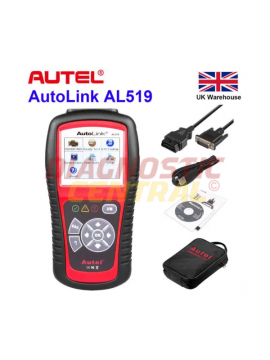
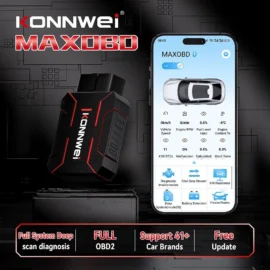
A service reset tool communicates with the vehicle’s electronic control units through the diagnostic socket. Depending on make, model and tool coverage, it can reset an oil service interval, inspection interval or condition-based servicing counter after maintenance. On many modern vehicles, it can also register a replacement battery, retract an electronic parking brake for rear brake work, reset steering-angle calibration prompts or manage particulate filter functions.
Those are separate functions. A tool advertised with service reset capability may only handle oil and inspection lights, while a more capable diagnostic machine may provide a wider menu of maintenance procedures. Never assume that one reset function means every service function is available for every vehicle.
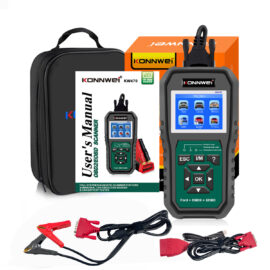
A basic code reader is useful for reading and erasing engine fault codes. That does not automatically mean it can access the instrument cluster, body control module or manufacturer-specific service menu where the service interval is stored. For occasional home use, a vehicle-specific reset function may be enough. For a working garage, broad make coverage and regular software support matter far more.
Service reset tools guide: choose by the work you do
Start with the vehicles you see most often. An independent garage servicing mixed-age cars needs a different solution from a BMW specialist, a mobile technician or a DIY owner maintaining one Volkswagen Group vehicle. Coverage claims are only valuable when they include the exact make, model, year and engine you work on.
Older vehicles sometimes allow an oil light reset using dashboard buttons and ignition sequences. This can be perfectly acceptable where the manufacturer specifies it. However, the procedure can be awkward, varies between model years and will not provide access to other service functions. A dedicated tool removes much of that uncertainty, particularly when several vehicles are booked in each day.
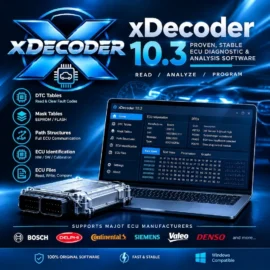
For mixed workshops, look beyond the phrase “oil reset”. A useful machine should identify the vehicle reliably, display supported functions before a command is sent, and access the relevant control module rather than applying a generic clear command. It should also show live data and read manufacturer-specific codes. Service work often uncovers a separate issue, and a reset-only device gives little help when the engine management light remains on.
Essential functions for routine servicing
Oil service and inspection resets are the starting point, but they are not the whole buying decision. Battery registration is increasingly relevant on vehicles with stop-start systems and intelligent battery sensors. When a battery is replaced, some vehicles need the battery type, capacity and age reset or registered so charging strategy can be adjusted correctly.
Electronic parking brake service mode is another high-value function. It winds back or releases compatible rear calipers before pad and disc replacement, then allows the system to be returned to normal operation. Forcing an electronic caliper mechanically can damage the actuator and turn a straightforward brake job into an expensive repair.
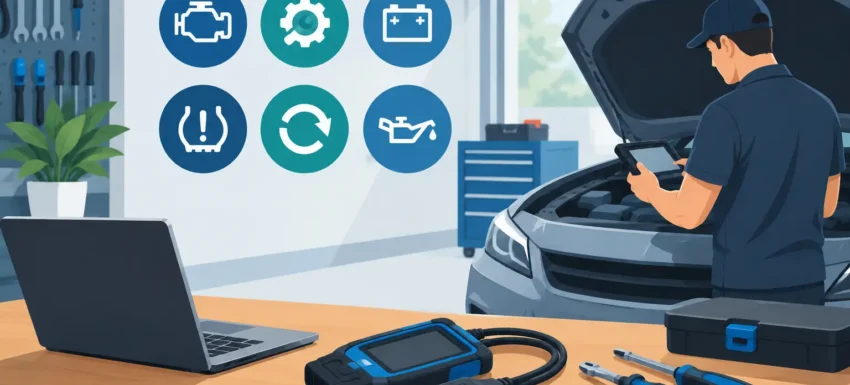
Other functions may include diesel particulate filter regeneration support, injector coding, throttle adaptation, steering-angle sensor calibration and tyre pressure monitoring resets. These are valuable only if the tool supports the relevant vehicle and the operator understands the procedure. A menu option is not permission to use it blindly.
Compatibility is where cheap tools fall short
The diagnostic socket is standardised in physical form, but vehicle communications and service procedures are not. Manufacturers use different modules, security arrangements and data formats. Coverage may also change within one model range due to facelift years, engine variants or different dashboard systems.
Before buying, check the registration year, engine code where available, fuel type and exact service operation required. A listing that says a tool works with a particular marque is not enough if you need battery registration on a late-model diesel estate or parking brake service mode on a hybrid. Ask whether the function is available for that vehicle, rather than asking whether the tool “works” with it.
Software updates deserve the same scrutiny. Newer cars, particularly those using gateway modules or protected diagnostic access, can require up-to-date software and authorised procedures. A tool that performed basic resets on older vehicles may not be suitable for a current model. This is not a defect in every case – it reflects how quickly vehicle electronics are changing.
Commercial vehicles require an additional check. Lorries, vans and trailers can use different diagnostic protocols, connectors and service systems from passenger cars. The right adapter cable and software coverage are just as important as the main diagnostic unit. Buying a passenger-car scanner for a commercial fleet because it has an OBD socket is a costly shortcut.
A correct reset process protects the vehicle and the workshop
Good practice starts before the tool is connected. Confirm the service work has been completed, check oil level where applicable, and ensure the battery voltage is stable. Low system voltage can interrupt communication or trigger unrelated warnings, especially when ignition must remain on during a procedure.
Connect the tool securely, identify the vehicle using automatic identification where supported, then verify the result against the VIN and vehicle details. Select the correct service function and read the on-screen instructions fully. Some systems ask for oil grade, service interval type or battery specification. Entering inaccurate information can set the next interval incorrectly.
Once the reset is complete, cycle the ignition as instructed and confirm the warning has cleared. Check the new due date or mileage where the vehicle displays it. If the light returns immediately, do not keep clearing it. Read fault codes and investigate whether the vehicle has detected a genuine condition, such as an oil-level issue, sensor fault or incomplete electronic parking brake procedure.
Record what was done. For professional workshops, noting the mileage, date, work carried out and reset performed provides a useful audit trail. For DIY owners, keeping the same information with receipts protects resale value and prevents uncertainty at the next service.
Do not confuse service resets with fault-code erasing
This distinction prevents a great deal of wasted time. A service interval reminder is a planned maintenance message. A diagnostic trouble code is stored because a control unit has detected an electrical, mechanical or emissions-related issue. Clearing a fault code may extinguish a warning temporarily, but it does not repair the cause.
For example, an engine management light related to airflow, boost pressure or an emissions sensor is not an oil-service reminder. The correct approach is to read the codes, examine freeze-frame information and live data where available, then test the affected circuit or component. Clearing codes after repair is a verification step, not a repair method.
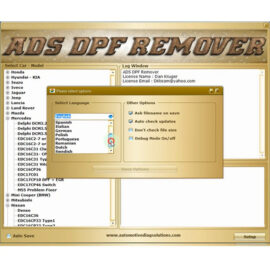
Likewise, a DPF warning should not be treated as a standard reset request. Forced regeneration and DPF service functions have safety conditions, temperature risks and underlying causes that must be addressed. A vehicle used for repeated short journeys may need a different remedy from one with a pressure-sensor fault or excessive soot loading.
When a simple tool is enough – and when to step up
A competent DIY owner servicing one or two vehicles may only need a dependable tool that reads codes and supports confirmed oil-service resets for those models. It is a practical way to check warning lights before booking repairs and to complete routine maintenance properly.
A garage or mobile technician should usually invest further. Daily work demands wider coverage, clearer guided functions, live data, active tests and the ability to handle common maintenance jobs without reaching for a second device. The purchase cost is offset by fewer delays, fewer unnecessary parts and more jobs completed correctly on the first visit.
Diagnostic Central customers should treat service functions as part of a wider diagnostic capability, not a tick-box feature. Buy for the vehicles on your ramp, the procedures you genuinely perform and the level of support your work demands. The right tool turns a service reset into the final confirmation of a job done properly, rather than a light switched off and a question left unanswered.